



Posting on Instagram without a plan can feel overwhelming. One day you’re scrambling to find something to share, and the next day you forget to post altogether. If this sounds familiar, creating an Instagram content calendar might be the solution you need.
An Instagram content calendar is simply a schedule that maps out what you’ll post and when. It helps you stay organized, maintain consistency, and take the guesswork out of your daily posting routine. Whether you’re a small business owner, a creator, or someone managing a brand account, having a clear plan makes everything easier.
In this guide, you’ll learn how to build an Instagram content calendar that actually works for you. We’ll cover everything from understanding your audience to choosing the right content types, setting up a weekly schedule, and tracking your results over time.
Why You Need an Instagram Content Calendar
If you’ve ever stared at your phone wondering what to post, you already know why planning matters. An Instagram content calendar removes that daily stress by giving you a roadmap to follow.
The first big benefit is consistency. When you post regularly, your followers know what to expect. They’re more likely to engage with your content and remember your account. Random posting, on the other hand, makes it harder to build momentum and stay top of mind.
Planning ahead also improves the quality of your posts. When you’re not rushing to create something at the last minute, you have time to think through your ideas, write better captions, and choose visuals that actually fit your brand. This thoughtful approach shows in your content.
A calendar also helps with strategy planning for your overall account. Instead of posting whatever comes to mind, you can align your content with your goals. Maybe you want to promote a new product, grow your following, or build trust with your audience. A calendar lets you work backward from those goals and create content that moves you closer to them.
Another advantage is reduced stress. Knowing what you’ll post tomorrow, next week, or even next month takes a weight off your shoulders. You can batch your content creation, schedule posts in advance, and free up mental space for other parts of your life or business.
Finally, a content calendar makes it easier to spot gaps and opportunities. When you see your month laid out visually, you might notice you’re posting too much of one type of content or missing important dates. This big-picture view helps you create a more balanced and effective feed.
Know Your Audience Before Planning Content
Before you start filling in your calendar, you need to understand who you’re creating content for. The better you know your audience, the easier it becomes to choose topics, formats, and posting times that resonate.
Start by looking at who already follows you. Check your Instagram Insights to see basic information about your followers, including their age range, location, and when they’re most active. This data gives you clues about what might work best.
Beyond demographics, think about what your audience cares about. What problems do they have? What questions do they ask? What kind of content do they engage with most? Look at your past posts to see which ones got the most likes, comments, saves, and shares. These patterns reveal what your followers actually want to see.
If you want a deeper understanding of your followers, consider conducting an audience targeting audit to evaluate who’s engaging with your content and whether they match your ideal audience.
It also helps to think about your audience’s daily routine. When are they scrolling Instagram? During their morning commute? On lunch breaks? Late at night? Understanding these habits helps you post at times when your content is most likely to be seen.
Don’t forget to consider what stage of the customer journey your followers are in. Some might be discovering you for the first time, while others are loyal fans who have followed you for years. Your Instagram content calendar should include a mix of content that speaks to people at different stages.
Remember, your audience isn’t static. As your account grows and evolves, the people following you might change too. Make it a habit to revisit your audience insights regularly and adjust your content plan accordingly.
Choosing the Right Content Types for Your Calendar

Instagram offers several content formats, and using a variety of them keeps your feed interesting. Let’s look at the main types you should consider including in your calendar.
Feed Posts
These are the photos and carousels that appear on your main grid. Feed posts are great for content that you want to stay visible on your profile long-term. Single images work well for simple messages or beautiful visuals, while carousels let you share multiple images or slides of information in one post.
Carousels tend to perform well because people swipe through them, which signals to Instagram that the content is engaging. Use them for tutorials, tips, before-and-after comparisons, or storytelling. When creating feed posts, think about using scroll-stopping Instagram hooks in your first slide or image to grab attention as people scroll.
Stories
Stories disappear after 24 hours, which makes them perfect for more casual, behind-the-scenes content. They feel less polished than feed posts, and that’s part of their charm. Use Stories to share quick updates, ask questions, run polls, or give your audience a peek into your daily life or work process.
Stories are also a great place to interact with your audience directly. You can enhance engagement by using Instagram Story sticker tactics like polls, question boxes, and sliders to encourage participation.
Reels
Short-form video is one of the most powerful content types on Instagram right now. Instagram Reels are vertical videos that can help you reach new audiences beyond your existing followers. They appear in the Reels tab, the Explore page, and sometimes in people’s main feeds.
Reels work well for tutorials, entertaining clips, trend participation, and educational content. They don’t need to be professionally produced—authenticity often performs better than high production value.
Live Videos
Going live lets you connect with your audience in real time. Live videos are great for Q&A sessions, product launches, interviews, or simply chatting with your followers. The real-time nature creates a sense of urgency and exclusivity that recorded content can’t match.
When building your Instagram content calendar, aim for a mix of these formats. A good rule of thumb is to include a balance that plays to your strengths while also pushing you to try new things. If you’ve never made a Reel before, schedule one for next week and see how it goes.
Building Your Weekly Posting Schedule
Now that you know your audience and the content types available, it’s time to create a posting schedule. The goal is to find a rhythm that works for you and your followers.
There’s no perfect posting frequency that works for everyone. Some accounts thrive posting once a day, while others do well with three posts per week. The key is to choose a schedule you can actually maintain. It’s better to post consistently three times a week than to post daily for two weeks and then disappear.
Start by thinking about how much content you can realistically create. Consider your time, resources, and energy. If you’re a solo creator, you might not have the bandwidth to post a Reel, a carousel, and multiple Stories every single day. Be honest with yourself about what’s sustainable.
A simple weekly structure might look something like this:
- Monday: Educational carousel post
- Wednesday: Behind-the-scenes Story series
- Friday: Short-form Reel
- Throughout the week: Daily Stories with updates or engagement stickers
This gives you variety without being overwhelming. Adjust based on your capacity and what your audience responds to.
Timing matters too. Check your Instagram Insights to see when your followers are most active, and try to post during those windows. Generally, you want to post when people are likely to be on their phones and have time to engage.
Keep in mind the Instagram algorithm considerations that affect how your content gets distributed. Posting when your audience is active can help your content get initial engagement, which signals to Instagram that it’s worth showing to more people.
As you build your schedule, leave some flexibility for spontaneous content. Not everything can be planned weeks in advance. Current events, trending topics, or exciting moments might pop up and deserve a spot on your feed. Your calendar is a guide, not a rigid rule.
Creating Content Ideas and Themes
One of the hardest parts of maintaining an Instagram content calendar is coming up with enough ideas. Organizing your content around themes or pillars makes brainstorming much easier.
Content pillars are broad categories that reflect what your account is about. For example, a fitness coach might have pillars like workout tips, nutrition advice, client transformations, and personal updates. A small bakery might use pillars like product showcases, baking tutorials, customer stories, and behind-the-scenes moments.
Having three to five pillars gives you structure while still allowing variety. When you sit down to plan your week, you can simply rotate through your pillars. This ensures your feed stays balanced and covers different aspects of your brand.
To generate specific ideas within each pillar, try these approaches:
- Answer common questions: What do your customers or followers ask you most often? Turn those questions into posts.
- Share your process: People love seeing how things are made. Show your work-in-progress, your tools, or your daily routine.
- Repurpose existing content: A blog post can become a carousel. A customer review can become a Story. Look at what you already have.
- Follow trends thoughtfully: When a trending audio or format fits your brand, join in. But don’t force trends that feel off-brand.
If your business involves complex offerings, focus on turning products into social content by breaking down features into simple, visual explanations your audience can understand.
Keep a running list of content ideas somewhere accessible—a notes app, a spreadsheet, or a dedicated tool. When inspiration strikes, jot it down. When planning time comes, you’ll have a bank of ideas to pull from instead of starting from scratch.
For ongoing inspiration, resources like the Later blog offer helpful tips and examples of what’s working for other creators and brands.
Using Tools to Streamline Your Calendar
Creating and managing an Instagram content calendar is much easier with the right tools. You don’t need anything fancy to get started, but the right setup can save you significant time.
At the most basic level, a simple spreadsheet works fine. Create columns for the date, content type, caption, hashtags, and any notes about images or videos. This gives you a clear overview of your upcoming posts and helps you prepare everything in advance.
If you want more functionality, dedicated scheduling tools let you plan posts visually and schedule them to publish automatically. Many of these tools show you a preview of how your feed will look, which helps you maintain a cohesive visual style. They also let you schedule Stories and Reels, not just feed posts.
Some tools go further by helping with AI-assisted content creation, suggesting captions, hashtags, or even content ideas based on your past performance. These features can speed up your workflow, especially when you’re short on time or ideas.
Analytics are another important consideration. Understanding how your content performs helps you make smarter decisions about what to post next. Tools like Kicksta analytics can provide insights into your growth patterns and engagement, helping you refine your posting strategy over time.
When choosing tools, think about your specific needs. Do you manage multiple accounts? Do you need team collaboration features? Do you want detailed analytics? The best tool for you depends on your situation and budget.
Whatever tools you choose, the goal is to make your process smoother. Automation should free up your time for creative work, not replace the human touch that makes your content authentic. Use tools to handle the logistics so you can focus on creating content your audience actually wants to see.
Tracking Performance and Making Adjustments
Building an Instagram content calendar is just the beginning. To make it truly effective, you need to track how your content performs and adjust your approach based on what you learn.
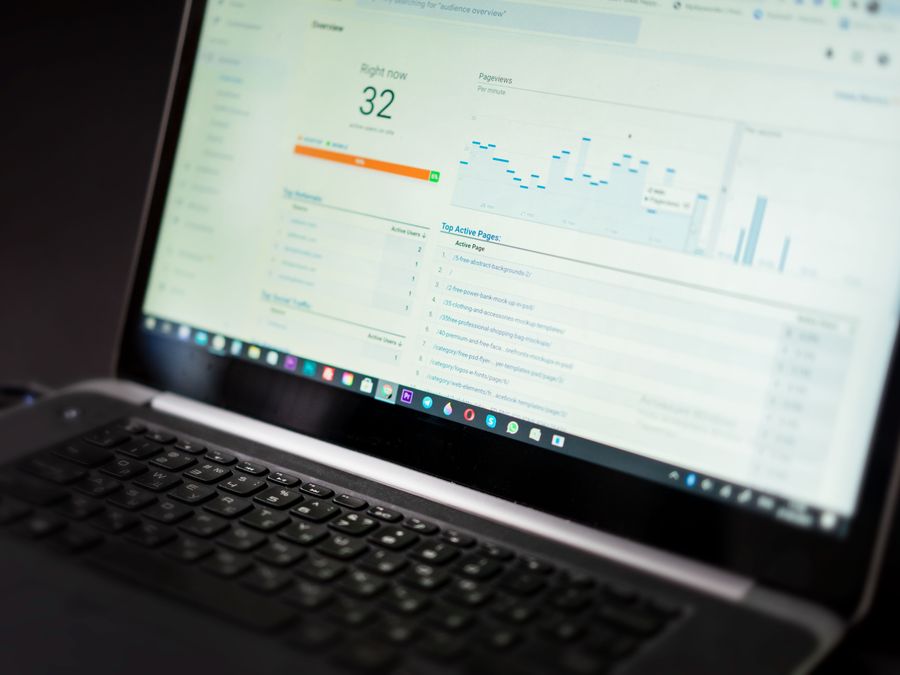
Start by identifying the metrics that matter most to your goals. If you want to grow your audience, pay attention to reach and follower growth. If engagement is your priority, track likes, comments, saves, and shares. If you’re driving traffic to a website or product, monitor link clicks and conversions.
Instagram’s built-in Insights provide plenty of data to work with. Check them regularly—at least weekly—to see what’s performing well and what isn’t. Look for patterns. Maybe your carousels consistently outperform single images. Maybe your Reels get more reach but fewer saves. These insights help you refine your content mix.
Don’t be afraid to experiment. Try posting at different times, testing new content formats, or adjusting your caption style. Treat your calendar as a living document that evolves based on real results, not assumptions.
Tracking engagement also supports community growth over time. When you understand what resonates with your audience, you can create more of it, strengthening the connection with your followers and attracting new ones who share similar interests.
Set aside time each month to review your overall performance. Look back at what worked, what didn’t, and what surprised you. Use these insights to plan the next month. Over time, this cycle of planning, posting, tracking, and adjusting will make your Instagram content calendar more and more effective.
When to Consider Professional Help
Managing an Instagram content calendar takes time and effort. While many creators and small businesses handle it themselves, there comes a point when bringing in help makes sense.
If you’re spending so much time on content planning that it’s pulling you away from other important parts of your business, it might be time to delegate. If you’re struggling to stay consistent or feeling burned out by the constant demands of content creation, outside support could be the solution.
There are different levels of help available. You might hire a freelance content creator or social media manager to handle your calendar. For more comprehensive support, Instagram marketing agencies can manage everything from strategy to execution, often bringing expertise that’s hard to develop on your own.
Some businesses benefit from specialized approaches that connect their social media efforts to broader business goals. A CRM-powered content strategy can help you align your Instagram calendar with customer data and business objectives, making your content work harder for your bottom line.
The right choice depends on your budget, goals, and how much control you want to maintain. Whether you do it yourself or bring in help, the key is having a system that keeps you consistent and moving toward your goals.
An Instagram content calendar doesn’t have to be complicated. Start simple, stay consistent, and adjust as you learn. With a clear plan in place, you’ll spend less time stressing about what to post and more time creating content that truly connects with your audience.