




Growing your Instagram account takes more than just posting photos and hoping for the best. It requires consistent effort, smart planning, and the right tools to help you stay organized. But what if you could build your own tool—a custom Instagram growth app designed around your exact needs?
The good news is that you do not need to be a programmer to make this happen. With today’s no-code platforms, anyone can build a functional app without writing a single line of code. Whether you want to track your analytics, plan your content calendar, or automate parts of your workflow, building your own Instagram growth app puts you in control.
In this guide, we will walk through everything you need to know to create your own app. From choosing the right features to designing a clean interface, testing it before launch, and getting it in front of users, you will have a complete roadmap by the end. Let’s get started.
Why an App Can Help Your Instagram Grow
Managing an Instagram account involves many moving parts. You need to create content, post at the right times, engage with your audience, track what is working, and adjust your strategy based on results. Trying to juggle all of this manually can be overwhelming, and that is exactly where a dedicated app comes in handy.
An Instagram growth app gives you a central place to manage everything. Instead of switching between different tools and platforms, you can have all your essential functions in one spot. This saves time and helps you stay focused on what matters most—connecting with your audience and creating valuable content.
One of the biggest advantages of having your own app is automation. Many repetitive tasks, like scheduling posts or tracking engagement metrics, can be handled automatically. This frees up your time for more creative work. Many creators are now exploring AI-powered Instagram growth tools to automate tasks that used to take hours every week.
Beyond automation, an app helps you stay consistent. Consistency is one of the most important factors for Instagram growth. When you have a tool that reminds you to post, suggests optimal posting times, and keeps your content organized, you are far more likely to maintain a regular schedule.
Building your own app also means you can customize it to fit your specific workflow. Off-the-shelf tools are designed for general use, but your app can be tailored to your unique needs. If you focus on Stories, you can build features around that. If Reels are your main content type, you can design the app to prioritize video content planning.
Finally, having your own Instagram growth app can become a valuable asset. If you build something useful for yourself, there is a good chance other creators and businesses would find it helpful too. This opens up possibilities for monetization down the road.
Essential Features for Your Instagram Growth App

Before you start building, you need to decide which features your app will include. The right features depend on your goals, but there are several core functions that most Instagram growth apps should have.
Analytics Dashboard
Understanding your performance is essential for growth. Your app should include a dashboard that displays key metrics like follower count, engagement rate, reach, and impressions. The ability to see trends over time helps you identify what content performs best and when your audience is most active.
A good analytics feature goes beyond just showing numbers. It should help you make sense of the data by highlighting patterns and giving you actionable insights. For example, if your engagement drops on certain days, the app could flag this so you can adjust your posting schedule.
Content Calendar and Scheduling
Planning your content in advance is one of the best ways to stay consistent. A content calendar lets you see your upcoming posts at a glance and ensures you never run out of ideas. When combined with scheduling functionality, you can prepare posts ahead of time and have them go live automatically.
Your app should support different content types including feed posts, Stories, and Reels. The ability to batch-create content and schedule it for the week or month ahead is a huge time saver.
Content Planning Tools
Creating engaging content is at the heart of Instagram growth. Your app should help you brainstorm ideas, organize them, and develop them into finished posts. Including features like idea banks, caption templates, and hashtag collections makes the content creation process smoother.
Many successful creators rely on proven Instagram strategies when planning their content. Your app can include prompts or frameworks based on these strategies to guide your content creation. Additionally, incorporating tools that help you craft scroll-stopping content hooks can significantly improve your engagement rates.
Hashtag Research and Management
Hashtags remain an important way to get discovered on Instagram. Your app should make it easy to research relevant hashtags, save them in organized groups, and quickly add them to your posts. Having pre-made hashtag sets for different content categories saves time and ensures you are always using relevant tags.
Audience Insights
Understanding who follows you helps you create content that resonates. Features that show demographic information, active hours, and follower growth patterns give you valuable context for your content decisions.
Goal Tracking
Setting goals keeps you motivated and focused. Your app should let you set targets for metrics like follower growth, engagement rate, or posting frequency, and then track your progress toward those goals. Visual progress indicators make it easy to see how you are doing at a glance.
No-Code Platforms to Build Your App

The rise of no-code development has made app building accessible to everyone. These platforms provide visual interfaces where you can design your app, add functionality, and deploy it to users—all without writing code. Here are some popular options to consider for your Instagram growth app.
Web-Based App Builders
Bubble is one of the most powerful no-code platforms available for building web applications. It offers extensive customization options and can handle complex logic and database operations. If you want a feature-rich app that runs in a web browser, this is an excellent choice.
With Bubble, you can create custom dashboards, user authentication systems, and integrate with external services through APIs. The learning curve is a bit steeper than simpler tools, but the flexibility you gain is worth the investment. Many entrepreneurs have built successful apps using this platform.
Spreadsheet-Based Builders
If you want to get started quickly, Glide offers a unique approach to app building. It creates apps directly from spreadsheet data, making it incredibly simple to get something up and running fast. You can use Google Sheets as your database and Glide turns it into a functional mobile app.
This approach works well for content calendars, tracking systems, and simple dashboards. Since many people already organize their Instagram planning in spreadsheets, converting that data into an app feels natural. Glide is particularly good for creating internal tools that you use yourself or share with a small team.
Mobile-Focused Builders
For a native mobile app experience, Adalo specializes in creating apps for iOS and Android devices. It provides pre-built components that you can drag and drop to create your interface, and you can publish directly to app stores.
Adalo is great if you want an app that feels like a traditional mobile application with smooth animations and native features. You can include push notifications to remind you about posting times, which is particularly useful for maintaining your Instagram schedule.
Choosing the Right Platform
Each platform has its strengths, and the best choice depends on your needs. Consider these factors when deciding:
- Complexity: How many features do you want? Simpler needs can be met with easier tools.
- Platform: Do you want a web app, mobile app, or both?
- Budget: Free tiers have limitations. Paid plans offer more features and capacity.
- Learning curve: Some platforms are easier to learn than others.
- Scalability: If you plan to share your app with others, consider how well it handles multiple users.
Many builders offer free trials or free tiers, so you can experiment before committing to one platform. Try building a simple feature in a couple of different tools to see which one feels most comfortable for you.
Designing Your App Interface
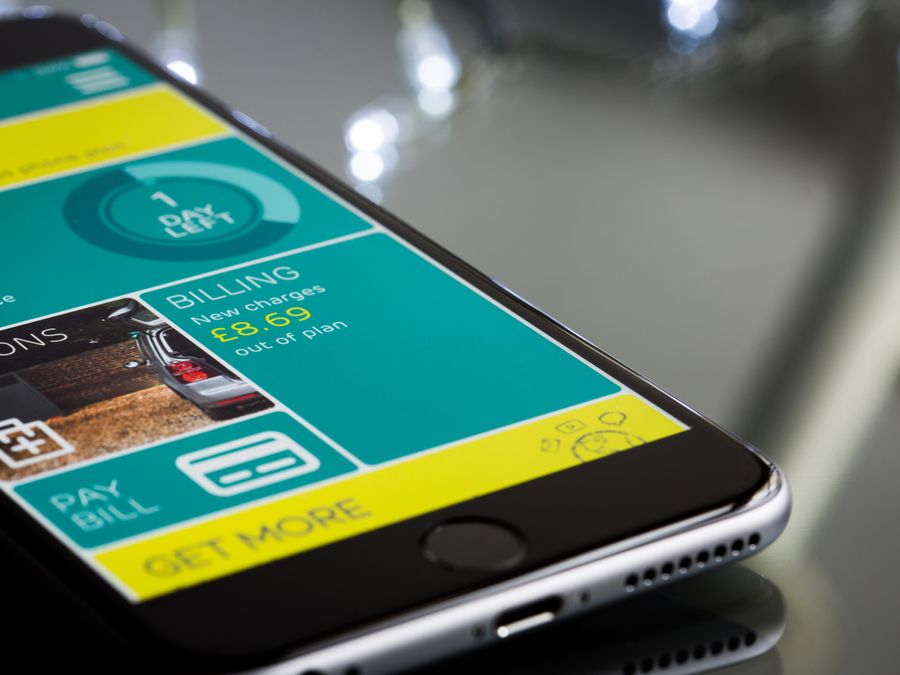
A well-designed interface makes your app enjoyable to use and helps users accomplish their goals quickly. Even if your app has powerful features, poor design can make it frustrating and difficult to navigate. Here are key principles to keep in mind when designing your Instagram growth app.
Keep It Simple and Clean
The best apps are easy to understand from the moment you open them. Avoid cluttering your screens with too many elements. Each screen should have a clear purpose, and users should immediately know what they can do there.
Use plenty of white space to give elements room to breathe. This makes your app feel less overwhelming and helps important features stand out. Group related functions together and create a logical flow from one screen to the next.
Create a Clear Navigation System
Users should never feel lost in your app. A bottom navigation bar or sidebar menu makes it easy to jump between main sections. Use clear labels and recognizable icons so users always know where they are and how to get where they want to go.
For inspiration on intuitive navigation patterns, you might look at social messaging app features that people use every day. Popular apps spend considerable resources on making their navigation feel natural.
Choose Colors Thoughtfully
Colors affect how people feel when using your app. Bright, energetic colors create excitement, while softer tones feel calming and professional. Your color choices should align with the experience you want to create.
Understanding color psychology in app branding can help you make informed decisions about your palette. Consider using colors that complement Instagram’s own design language so your app feels like a natural extension of the platform.
Stick to a limited color palette—usually two to three main colors plus neutrals. Consistency in your color usage helps your app feel polished and professional.
Prioritize Important Information
Not all information is equally important. Your design should emphasize the most critical data and actions while keeping secondary information accessible but less prominent. For a growth app, this might mean making your key metrics and next scheduled post the first things users see.
Using an App design template can speed up your design process significantly. Templates provide professionally designed starting points that you can customize to fit your needs, ensuring your app looks polished without starting from scratch.
Design for Accessibility
Make sure your app is usable by as many people as possible. Use sufficient color contrast so text is easy to read, make tap targets large enough for comfortable interaction, and include alternative text for images. Good accessibility practices make your app better for everyone.
Adding Instagram Engagement Features
The ultimate goal of your app is to help you grow on Instagram, and engagement is a crucial part of that equation. The more people interact with your content, the more the algorithm shows it to others. Here are engagement-focused features to consider including in your app.
Engagement Reminders
Building relationships on Instagram requires regular interaction with your audience and other accounts in your niche. Your app can include reminders to spend time engaging with comments, responding to DMs, and commenting on other posts. Setting specific engagement windows helps you stay consistent without letting it consume your whole day.
Caption and Hook Libraries
Engaging captions encourage people to like, comment, and share. Having a library of caption templates, call-to-action phrases, and conversation starters makes it easier to write captions that drive interaction. You can organize these by content type or goal for quick reference.
Engagement Tracking
Your app should help you monitor not just your overall engagement rate but engagement on individual posts. Understanding which posts generate the most comments and saves helps you create more of what your audience loves.
Creative Engagement Tools
Think beyond the basics when it comes to driving engagement. Features that help you create polls, quizzes, or interactive Stories can significantly boost how much your audience interacts with your content. Some creators are also using QR codes for Instagram engagement to bridge offline and online interactions in creative ways.
Response Management
As your account grows, keeping up with comments and messages becomes challenging. Your app could include features to help you manage responses, like saved replies for common questions or a system to flag comments that need personal attention.
Testing Your App Before Launch

Before you share your app with others—or even start using it seriously yourself—thorough testing is essential. Testing helps you catch bugs, identify usability problems, and ensure everything works as expected. Skipping this step often leads to frustrated users and a poor first impression.
Test Every Feature
Go through every feature in your app and make sure it works correctly. Create test data and run through typical user flows. Does the content calendar save posts properly? Do analytics display accurate information? Does scheduling work at the correct times?
Understanding software testing for your app can help you approach this process systematically. Even simple apps benefit from structured testing approaches.
Test on Different Devices
Your app should work well on various screen sizes and devices. If you built a mobile app, test it on different phones and tablets. For web apps, check how it looks on different browsers and screen resolutions. Issues that appear on one device might not show up on another.
Get Feedback from Others
Fresh eyes catch problems you might miss. Ask friends, family, or fellow creators to try your app and share their honest feedback. Watch how they use it without guiding them too much—this reveals whether your interface is intuitive or confusing.
Pay attention to places where testers hesitate or make mistakes. These friction points are opportunities to improve your design. Sometimes small changes, like rewording a button label or moving a feature to a more obvious location, make a big difference.
Test Edge Cases
What happens when users do unexpected things? Try entering invalid data, leaving fields empty, or using features in unusual ways. Your app should handle these situations gracefully with helpful error messages rather than crashing or behaving strangely.
Performance Testing
Make sure your app loads quickly and responds smoothly. Slow apps frustrate users and may cause them to abandon your tool. If your app connects to external services or databases, test that it handles slow connections appropriately.
Promoting Your App After Launch
Building a great app is only half the battle. If nobody knows about it, nobody can benefit from it. Whether you want to keep your app private, share it with a small community, or turn it into a business, promotion matters.
Start with Your Own Audience
If you already have an Instagram following, that is your perfect first audience. Share your app journey with your followers—they already trust you and may be interested in tools that help with Instagram growth. Behind-the-scenes content about building the app can be engaging content on its own.
Create Helpful Content
Content marketing is one of the most effective ways to attract users. Write blog posts, create videos, or record podcasts about Instagram growth topics. When your content helps people, they naturally become interested in your tools. Implementing SEO and social media marketing strategies helps your content reach people who are actively searching for solutions.
Engage in Communities
Online communities focused on Instagram growth, social media marketing, or content creation are great places to connect with potential users. Participate genuinely in discussions, answer questions, and share your expertise. When appropriate, you can mention your app as a solution to problems people face.
Be helpful first and promotional second. Community members can tell when someone is just there to push a product, and this approach usually backfires.
Consider Partnerships
Collaborating with other creators, influencers, or businesses can expand your reach significantly. Look for partners whose audience overlaps with your target users. You might offer them early access, special features, or affiliate arrangements in exchange for promoting your app.
Think Like an Entrepreneur
Building and promoting an app teaches valuable business skills. Many of the same principles apply whether you are launching an app or starting a dropshipping business or any other online venture. Understanding marketing, user acquisition, and customer feedback loops are transferable skills that serve you well in any entrepreneurial path.
Gather and Act on Feedback
Once people start using your app, their feedback becomes invaluable. Create easy ways for users to share suggestions and report problems. Actively listen to what they say and use their input to guide your development priorities.
Early users who feel heard often become your biggest advocates. When they see their suggestions implemented, they develop a sense of ownership and are more likely to recommend your app to others.
Iterate and Improve
Your first version will not be perfect, and that is okay. The goal is to launch something useful and improve it over time. Regular updates that add features, fix bugs, and enhance the user experience keep your app valuable and show users that you are invested in making it better.
Building your own Instagram growth app is an ambitious project, but with no-code tools and careful planning, it is absolutely achievable. Start with the features that matter most to you, build something functional, test it thoroughly, and then share it with the world. Along the way, you will learn valuable skills and create a tool that helps you—and potentially many others—succeed on Instagram.