




If you have a website and an Instagram account, you’re probably using them separately. Your website sits in one place, sharing information about your business. Your Instagram account lives somewhere else, showing off photos and stories. But what if they could work together?
Website Instagram integration is all about connecting these two platforms so they support each other. When done right, your Instagram content can make your website more engaging, and your website can turn Instagram followers into customers, subscribers, or loyal fans.
This guide walks you through everything you need to know. You’ll learn why integration matters, how to set it up, and practical ways to measure your results. Whether you’re just starting out or looking to improve what you already have, these steps will help you get more from both platforms.
Why Connect Your Website and Instagram
When your website and Instagram work together, both platforms become stronger. Here’s why this connection matters for your business or personal brand.
First, your website gains fresh, visual content. Instagram posts can bring life to pages that might otherwise feel static. Instead of just text and stock photos, visitors see real moments from your brand. This keeps people on your site longer and gives them a better sense of who you are.
Second, Instagram helps drive traffic to your website. Every time you post, you have a chance to guide followers toward your site. Maybe they want to read a blog post, sign up for a newsletter, or buy a product. Without a clear path from Instagram to your website, those opportunities slip away.
Third, integration builds trust. When people see consistent branding and messaging across both platforms, they feel more confident about your business. Your Instagram shows the human side of your brand, while your website provides the details they need to take action.
There are many Instagram advantages for business that become even more powerful when combined with a strong website. You can showcase products, share customer stories, and build a community that moves fluidly between platforms.
Finally, website Instagram integration saves time. Instead of creating completely different content for each platform, you can repurpose posts and share them in multiple places. A single great photo or video can work hard for you on Instagram, on your website, and beyond.
Getting Started With Your Website
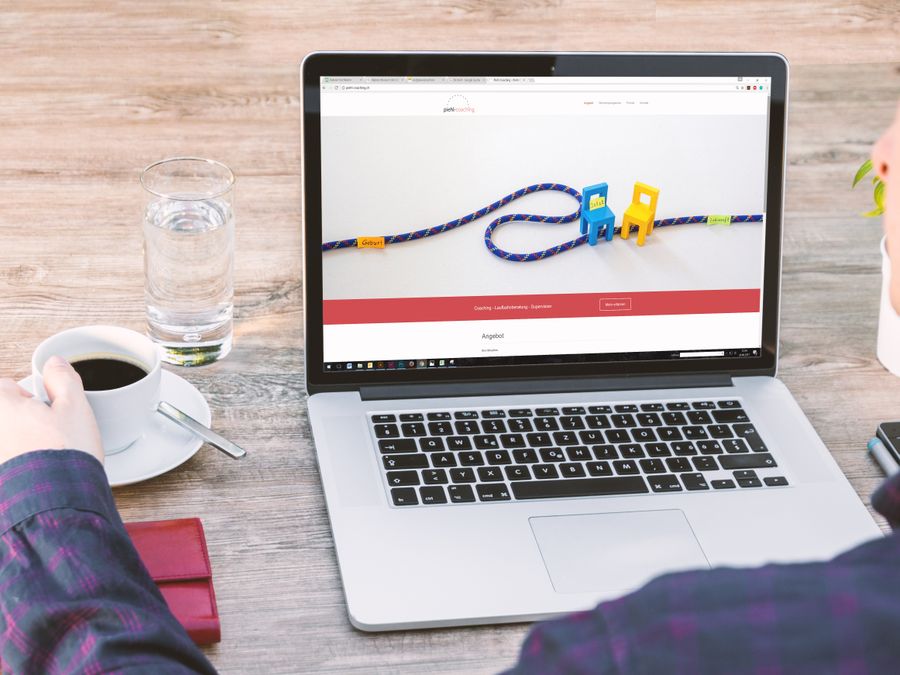
Before you can integrate Instagram with your website, you need a solid foundation. Your website should be ready to display Instagram content and handle visitors who come from the platform.
If you don’t have a website yet, the good news is that it’s easier than ever to make a website using modern tools and platforms. Many website builders offer drag-and-drop features that don’t require coding knowledge. You can choose a template, customize it with your branding, and start adding content within hours.
For those who already have a website, take some time to review its structure. Ask yourself these questions:
- Does your website load quickly on mobile devices?
- Is your navigation clear and easy to follow?
- Do you have dedicated pages for products, services, or blog content?
- Is your branding consistent with what people see on your Instagram?
Mobile performance is especially important. Most Instagram users browse on their phones, so when they click through to your website, it needs to work smoothly on a small screen. Test your site on different devices to make sure buttons are easy to tap and text is readable without zooming.
Consider where Instagram content will fit on your website. Some common spots include your homepage, a dedicated social media page, product pages, or your blog sidebar. Think about what makes sense for your visitors and what will encourage them to explore further.
You should also make sure your website has clear places where visitors can take action. Whether that’s signing up for emails, making a purchase, or contacting you, these elements should be easy to find. Later, when Instagram sends traffic your way, you’ll want those visitors to know exactly what to do next.
Adding Instagram Content to Your Website

Once your website is ready, it’s time to bring your Instagram content over. Embedding Instagram posts, feeds, and galleries can make your site more dynamic and visually appealing.
The simplest way to add Instagram content is through embedding. Instagram allows you to embed individual posts directly into your website. You copy the embed code from a post and paste it into your website’s HTML. This works well for featuring specific photos or videos that you want to highlight.
For a more comprehensive approach, consider using a feed plugin or widget. These tools pull your latest Instagram posts and display them automatically. When you post something new on Instagram, it appears on your website without any extra work. This keeps your site fresh and encourages visitors to follow you for more content.
When selecting which content to embed, focus on high-performance Instagram content that resonates with your audience. Posts that get lots of engagement on Instagram will likely perform well on your website too. Look for content that tells your brand story, showcases your products, or connects emotionally with viewers.
Another powerful option is featuring user-generated material from your customers or community. When people share photos using your products or services, displaying those images on your website provides social proof. It shows potential customers that real people love what you offer.
Here are some tips for effective Instagram embedding:
- Keep galleries visually consistent in terms of colors and style
- Don’t overcrowd pages with too many embedded posts
- Add context around embedded content to explain why it matters
- Update featured content regularly to keep things fresh
- Test load times to make sure embedded content doesn’t slow down your pages
You can also create dedicated galleries organized by theme, product line, or customer stories. This gives visitors a reason to explore and helps them find content relevant to their interests.
Driving Website Traffic From Instagram

Embedding Instagram content on your website is only half the equation. You also need to bring your Instagram audience over to your site. Here’s how to turn followers into website visitors.
The link in your Instagram bio is valuable real estate. Since regular posts don’t allow clickable links in captions, your bio link is often the main way to send followers to your website. Use it wisely by updating it to match your current campaigns or promotions.
When creating Instagram content, give people a reason to click through. Share teasers that make followers curious enough to learn more on your website. For example, you might post a behind-the-scenes photo and mention that the full story is on your blog. Or share a product preview and direct people to your site for details.
Stories are another excellent tool for driving traffic. If your account has access to link stickers, you can send viewers directly to specific pages. Use clear calls-to-action that tell people exactly what to do and what they’ll get when they click.
Make sure the pages you’re sending people to are worth visiting. Building Instagram landing pages that convert can significantly improve your results. These pages should match the expectations you set on Instagram and guide visitors toward a specific action.
Consider these traffic-driving tactics:
- Mention your website in your Instagram bio description
- Use Stories to highlight new blog posts or products
- Create Reels that end with a prompt to visit your site
- Partner with others who can share your links with their audiences
- Run giveaways that require visiting your website to enter
Consistency matters too. If you regularly point followers toward your website, they’ll come to expect valuable content there. Over time, checking out your site becomes a natural part of how they interact with your brand.
Using Links and Tools to Connect Both Platforms
Beyond basic linking, several tools can strengthen the bridge between your website and Instagram. These solutions make it easier for people to move between platforms and take action.
Link-in-bio tools have become popular because they solve a common problem. Instagram only allows one link in your bio, but you probably want to promote multiple pages. Link-in-bio services create a simple landing page with buttons linking to your various destinations. You can point followers to your latest blog post, your shop, your email signup, and more—all from a single link.
These tools can help increase blog traffic from Instagram by making it easy for followers to find your content. When someone lands on your link page, they see all their options clearly laid out. This removes friction and increases the chances they’ll click through.
Using QR codes for Instagram engagement is another creative approach. You can place QR codes on your website that lead directly to your Instagram profile. Visitors can scan with their phones and follow you instantly. This works especially well for desktop website visitors who want to connect on mobile.
QR codes also work in reverse. Add QR codes to physical materials like business cards, packaging, or signage that lead to your website. When people scan these codes, they land exactly where you want them.
For businesses focused on engaging audiences through social media, having clear connection points between platforms is essential. Think about every touchpoint where someone might interact with your brand and make sure there’s an easy path to both your website and Instagram.
Additional tools to consider:
- Social sharing buttons on your website that link to your Instagram
- Follow buttons displayed prominently on your site
- Instagram widgets showing your latest posts
- Unified messaging tools that connect Instagram DMs with website chat
The goal is to create a seamless experience where people can interact with your brand wherever they prefer, while still staying connected across platforms.
Expanding Your Integration Strategy
Website Instagram integration doesn’t have to stop with just those two platforms. Once you’ve built a solid connection, you can expand your strategy to include other channels for even better results.
Email marketing is a natural complement. Your website can capture email addresses from visitors who came from Instagram. Then you can nurture those relationships through regular emails that bring them back to both your website and your Instagram content. Using email marketing to convert visitors helps you stay connected with your audience beyond social media algorithms.
Consider integrating Instagram with other social platforms as part of your broader strategy. Your website can serve as the hub that connects everything. Visitors might discover you on Instagram, visit your website, follow you on other platforms, and sign up for your newsletter—all in one journey.
Cross-promotion between channels amplifies your reach. Share your Instagram content on other platforms with links back to your website. Use your website to promote your presence across all social channels. Create content that naturally flows from one platform to another.
Here’s how different channels can work together:
- Instagram brings visual engagement and brand awareness
- Your website provides detailed information and conversion opportunities
- Email keeps you in direct contact with interested people
- Other social platforms expand your reach to different audiences
- Blog content gives you material to share across all channels
Think about your customer journey. Someone might first discover your brand on Instagram, then visit your website to learn more, then sign up for emails, and finally make a purchase after receiving a promotional message. Each platform plays a role in moving them closer to becoming a loyal customer.
As you expand, keep your branding and messaging consistent across all channels. People should immediately recognize your brand whether they’re on Instagram, your website, or reading an email from you. This consistency builds trust and makes your marketing efforts feel cohesive rather than scattered.
Tracking Your Results
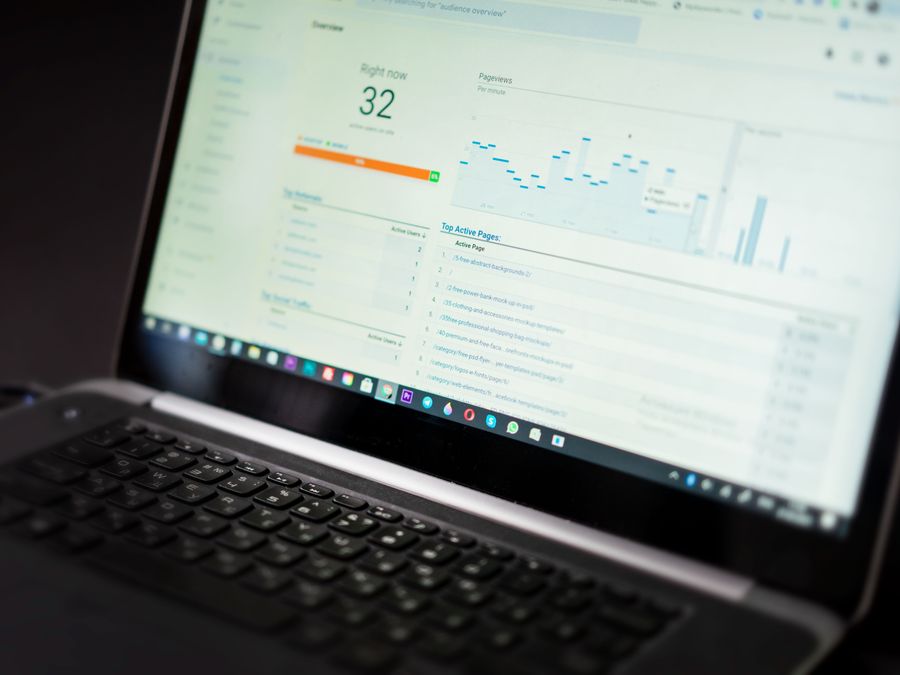
After setting up your website Instagram integration, you need to measure what’s working. Tracking your results helps you understand which strategies deliver value and where you should focus your energy.
Start with Instagram’s built-in analytics. Instagram Insights provides data on how your posts perform, who your audience is, and how people interact with your content. Pay attention to metrics like profile visits, website clicks, and Story interactions. These numbers show you whether your Instagram content is successfully driving interest in your website.
On the website side, Google Analytics helps you track visitors who arrive from Instagram. You can see how many people come from the platform, which pages they visit, how long they stay, and whether they take desired actions like making purchases or signing up for your list.
Understanding social media SEO for website growth can also inform your tracking approach. Social signals and engagement may influence how your website performs in search results, so watching these patterns over time provides valuable insights.
Key metrics to monitor include:
- Website traffic from Instagram (tracked in your website analytics)
- Link clicks from your Instagram bio and Stories
- Engagement rates on embedded Instagram content
- Conversion rates for visitors who came from Instagram
- Follower growth on Instagram after website promotions
- Time on site and pages per session for Instagram visitors
Set up goals in your analytics to track specific actions. For example, if you want people from Instagram to sign up for your newsletter, create a goal that measures newsletter signups. Then you can see exactly how many Instagram visitors complete that action.
Use UTM parameters to track different campaigns. These small additions to your URLs help you identify exactly which Instagram posts or Stories sent traffic to your website. Over time, you’ll learn which types of content drive the most valuable visitors.
Review your data regularly. Weekly or monthly check-ins help you spot trends and make adjustments. If certain content types consistently drive traffic, create more of that content. If some strategies aren’t working, try something different.
Don’t just focus on volume. Quality matters too. A smaller number of highly engaged visitors who take action is more valuable than lots of visitors who leave immediately. Look at engagement metrics alongside traffic numbers to get the full picture.
Finally, compare your performance over time. Are more people coming to your website from Instagram than last month? Are conversion rates improving? Tracking progress helps you see whether your integration efforts are paying off and motivates you to keep refining your approach.
Website Instagram integration isn’t a one-time setup. It’s an ongoing process of connecting, testing, and improving. By consistently tracking your results and making data-driven decisions, you’ll build a stronger connection between your platforms and create a better experience for your audience.