




When Snapchat first introduced disappearing messages, it changed how people thought about online conversations. Suddenly, you could send a photo or text that would vanish after being viewed. No permanent record, no awkward screenshots sitting in someone’s camera roll forever. This simple idea caught on quickly, and now many messaging apps offer similar features.
If you enjoy the idea of ephemeral messaging but want to explore beyond Snapchat, you have plenty of options. Apps like Snapchat with disappearing messages are now available across different platforms, each with their own approach to temporary conversations. Some focus heavily on privacy and encryption, while others add fun filters and social features alongside their vanishing content.
This guide walks you through the most popular ephemeral messaging apps available today, explains how they work, and covers important safety considerations. Whether you want better privacy, different features, or simply a change of pace from Snapchat, you will find useful information here to help you choose the right app for your needs.
What Are Ephemeral Messaging Apps
Ephemeral messaging apps are platforms where your messages, photos, and videos automatically disappear after a set period of time. The word “ephemeral” means lasting for a very short time, which perfectly describes how these apps handle your content. Instead of keeping everything forever like traditional text messages or emails, ephemeral apps delete your conversations automatically.
Different apps handle the disappearing process in various ways. Some delete messages immediately after the recipient views them. Others let you set a timer, like 24 hours or a week, after which the content vanishes. Many apps give you control over how long your messages stick around before they are removed.
The technology behind ephemeral messaging varies between apps. Some remove messages only from the app interface but may keep data on their servers for a while. Others use end-to-end encryption combined with automatic deletion, meaning even the company running the app cannot read your messages or recover them after deletion.
Snapchat popularized this concept by making photos and videos disappear after viewing. The feature felt exciting and different from other social apps where everything stayed visible permanently. This approach appealed especially to younger users who wanted more control over their digital footprint. Since then, many other apps have adopted similar features, creating a whole category of apps like Snapchat that prioritize temporary content.
Understanding how each app handles your data matters when choosing which one to use. Not all disappearing message features work the same way, and the level of privacy they provide can differ significantly.
Why People Want Disappearing Messages
The appeal of disappearing messages goes beyond just following trends. People have genuine reasons for wanting their conversations to vanish, and understanding these motivations helps explain why ephemeral messaging has become so popular.
Privacy concerns drive many users toward ephemeral apps. In an age where data breaches make headlines regularly, people worry about their personal conversations being exposed. The privacy risks on social platforms have made many users cautious about what they share and where they share it. Disappearing messages feel safer because they do not create a permanent record that could be hacked, leaked, or used against you later.
Some users simply want more casual conversations without the pressure of everything being saved. Traditional messaging can feel weighty when you know every joke, random thought, or candid photo stays stored forever. Ephemeral messaging creates a lighter atmosphere where conversations feel more natural and less permanent, similar to talking face-to-face where words fade after being spoken.
Professionals sometimes use disappearing messages for sensitive business discussions. While this comes with legal considerations, some find it useful for preliminary negotiations or casual work chat that does not need to be archived. The ability to have off-the-record conversations mirrors how in-person meetings work.
Relationship privacy also plays a role. Many people prefer keeping romantic conversations between themselves and their partner without worrying about old messages resurfacing. The temporary nature of ephemeral messaging provides peace of mind that intimate exchanges remain private.
Finally, storage concerns motivate some users. Messaging apps that save everything can quickly fill up phone storage with years of photos, videos, and chat history. Ephemeral apps help keep devices cleaner by automatically removing content after a set period.
Popular Apps with Ephemeral Features
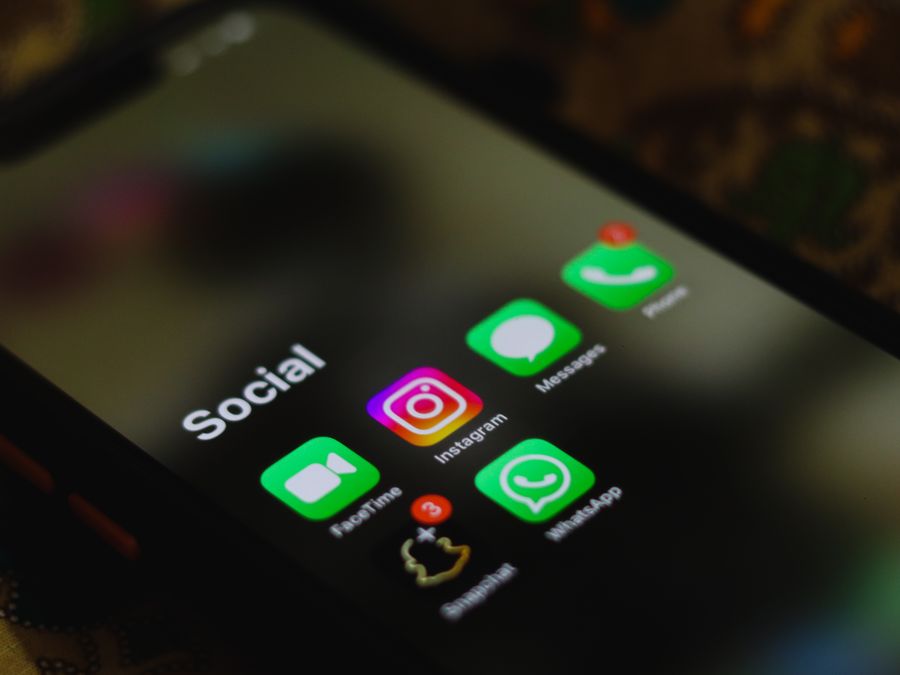
Many messaging apps now offer some form of disappearing messages, though they implement the feature differently. Here are some popular options if you are looking for apps like Snapchat with ephemeral features.
Signal
Signal stands out as the privacy-focused choice among messaging apps. Built by a nonprofit organization, Signal uses strong end-to-end encryption for all messages, calls, and media. The disappearing messages feature lets you set timers from five seconds up to four weeks, after which content automatically deletes from both devices in a conversation.
What makes Signal different is its commitment to collecting minimal data about users. The app does not store your contacts on its servers or keep metadata about your conversations. Privacy advocates and security experts often recommend Signal for anyone wanting truly private communications.
Telegram
Telegram offers a “Secret Chats” feature specifically designed for ephemeral messaging. These secret chats use end-to-end encryption and include a self-destruct timer for messages. You can set messages to disappear anywhere from one second to one week after being read.
Unlike regular Telegram chats, secret chats do not back up to the cloud and cannot be forwarded. The app also notifies you if someone takes a screenshot during a secret chat conversation. Telegram works well for people who want both regular messaging and the option for extra-private ephemeral conversations.
WhatsApp added disappearing messages to compete with apps like Snapchat and respond to user demand for more privacy options. You can now set messages in individual or group chats to disappear after 24 hours, seven days, or 90 days. There is also a “View Once” feature for photos and videos that lets recipients see media only once before it vanishes.
Since WhatsApp already uses end-to-end encryption by default, adding disappearing messages makes it a solid option for private conversations. The app remains one of the most widely used messaging platforms, making it easy to connect with friends and family who might not want to download a separate app.
Discord
Discord takes a different approach as a community-focused platform. While not primarily an ephemeral messaging app, Discord offers features that help manage message visibility. Server administrators can set up channels with auto-delete features, and the platform allows message management through various tools and bots.
Discord appeals to people who want messaging combined with community features like voice chat, screen sharing, and organized discussion channels. It works well for friend groups, gaming communities, and interest-based groups who want flexible communication options.
Other Options Worth Considering
Beyond these major apps, several other platforms offer ephemeral features. Wickr focuses heavily on security with automatic message deletion and device-level encryption. Dust (formerly Cyber Dust) lets users “blast” messages to multiple people with automatic deletion. Confide uses a unique screen-shield technology that only shows small portions of messages at a time to prevent screenshots.
Each app has its own strengths and trade-offs. Some prioritize maximum security, others focus on ease of use, and some try to balance both. When choosing apps like Snapchat for ephemeral messaging, consider what features matter most to you and how your contacts already communicate.
Safety Concerns with Random Chat Apps

While established messaging apps from reputable companies generally provide safe environments, some ephemeral messaging apps pose real dangers. Random chat apps that connect strangers deserve extra caution, especially when young people are involved.
Apps that pair users randomly for video chats or text conversations create unpredictable situations. You never know who will appear on the other end, and moderation on these platforms often falls short. Reports about Monkey App risks highlight the dangers users can encounter on random video chat platforms, including exposure to inappropriate content and predatory behavior.
The disappearing message feature that makes these apps appealing also makes them more dangerous. When conversations vanish automatically, evidence of inappropriate behavior also disappears. This creates an environment where bad actors feel emboldened to behave inappropriately, knowing their actions leave no permanent record.
Young users face particular risks on these platforms. Concerns about children’s data safety on social media extend to ephemeral messaging apps, where anonymity can mask dangerous interactions. Kids and teenagers may not recognize warning signs that adults would notice, making them more vulnerable to manipulation.
Parents who worry about their children’s online activity sometimes turn to social media monitoring tools to keep track of messaging habits. While opinions differ on whether monitoring is appropriate, the reality is that some apps make supervision nearly impossible by design.
If you or someone you care about uses random chat apps, stick to platforms with strong moderation, report inappropriate behavior immediately, and never share personal information like location, school name, or contact details. Consider whether established messaging apps with known contacts might serve your needs better than random chat platforms.
Can Deleted Messages Be Recovered
One common question about ephemeral messaging involves whether deleted content can actually be recovered. The answer depends on several factors, including which app you use and how messages were handled before deletion.
When messages disappear from ephemeral apps, they are typically removed from the app’s visible interface. However, this does not always mean complete deletion. Some apps store encrypted backups that could theoretically contain deleted messages. Others may keep data on servers for a period before permanent deletion occurs.
On the device level, deleted data sometimes remains recoverable through data recovery tools. Phone storage works differently than many people assume. When you delete something, the space it occupied gets marked as available for new data, but the original information may persist until overwritten. Methods for recovering deleted photos and videos work on this principle, scanning storage for data that has not yet been overwritten.
Screenshots present another way ephemeral content can survive. Even if an app deletes the original message, anyone who screenshot the content before deletion keeps a permanent copy. Many apps attempt to detect and notify users about screenshots, but these protections can often be bypassed.
For truly sensitive conversations, assume that anything sent digitally could potentially be recovered or captured. No app can guarantee absolute deletion when recipients have options like screenshots, photos of their screen taken with another device, or even simply writing down what was said.
The level of actual privacy varies significantly between apps. Apps with strong end-to-end encryption and minimal data retention provide better protection than those that keep backups or store metadata. Understanding how your chosen app handles data helps set realistic expectations about what “disappearing” really means.
Privacy Tips for Messaging Apps
Using apps like Snapchat with disappearing messages provides one layer of privacy, but additional steps can strengthen your protection further. These practical tips help you maintain better privacy across messaging platforms.
Review your app settings regularly. Many messaging apps default to settings that collect more data or make you more visible than necessary. Check who can contact you, whether your profile appears in searches, and what information the app shares with third parties. Adjusting these settings takes just a few minutes but significantly impacts your privacy.
Consider clearing device memory for messaging apps periodically. Even when messages disappear from conversation threads, cached data and temporary files may remain on your device. Regular clearing removes these remnants and helps protect your privacy if someone gains access to your phone.
Use different apps for different purposes. Keep sensitive personal conversations on more private platforms like Signal, while using mainstream apps for casual communication. This compartmentalization limits what anyone could learn about you from a single compromised account.
Be thoughtful about what you share, even in ephemeral messages. Remember that recipients can screenshot, save, or share your content before it disappears. The temporary nature of messages might encourage oversharing, but the same caution you would use with permanent messages still applies.
Some privacy-conscious users also practice anonymous story viewing on social platforms, separating their viewing activity from their identity. This mindset of minimizing your digital footprint extends naturally to messaging habits as well.
Keep your apps updated. Security patches often address vulnerabilities that could expose your private messages. Enable automatic updates or check for updates regularly to ensure you have the latest protections.
Using Apps Without Leaving a Trail
Beyond disappearing messages, some users want to browse and interact online without leaving traces of their activity. This desire for minimal digital footprint extends to how people use social media and messaging platforms.
Many platforms now offer ways to consume content without creating permanent records. Methods for viewing social content without logging in let users browse without their activity being tracked to an account. This approach complements ephemeral messaging by reducing the overall data trail you create online.
When using apps like Snapchat or similar platforms, consider which features genuinely require your participation. Viewing friends’ content, sending temporary messages, and engaging in conversations all create different levels of recorded activity. Choosing when to engage and when to simply observe helps manage your digital footprint.
Some practical steps for reducing your trail include using private browsing modes when checking social media from browsers, reviewing and deleting your activity history in apps that track it, and periodically checking what data platforms have collected about you. Most major apps now provide ways to download your data so you can see exactly what they store.
Remember that truly leaving no trail online is difficult in practice. Internet service providers, app companies, and devices themselves keep various records. The goal for most users is not invisibility but rather minimizing unnecessary data collection and taking control of what remains accessible about them.
Keeping Your Messaging Habits Healthy
With so many messaging apps available, maintaining balance becomes important. The convenience of instant communication can easily become overwhelming, especially when juggling multiple apps like Snapchat, Signal, and others throughout the day.
Set boundaries around your availability. Just because someone can reach you instantly does not mean you must respond immediately. Many apps show read receipts or activity status, creating pressure to reply quickly. Consider turning off these features or setting expectations with contacts about your response times.
Watch for signs of overuse. Constantly checking messages, feeling anxious when disconnected, or prioritizing digital conversations over in-person interactions can signal unhealthy patterns. Resources about managing social media usage offer useful strategies that apply equally to messaging apps.
Consider consolidating your messaging when possible. Using fewer apps means fewer notifications competing for your attention and less fragmentation in your conversations. While you might need different apps for different groups of contacts, evaluate whether each app you use genuinely adds value.
Take regular breaks from messaging entirely. Designate times when you put your phone away and engage fully with whatever you are doing offline. These digital breaks help maintain perspective and prevent messaging from consuming too much of your time and mental energy.
Ephemeral messaging apps like Snapchat can create pressure to engage constantly since content disappears quickly. Recognize that missing a disappearing message is perfectly fine. The temporary nature of the content means it was never meant to be permanent anyway. Let go of the fear of missing out and use these apps on your own terms.
Finding the right balance with messaging apps takes ongoing attention. The goal is using these tools to enhance your connections and communication, not letting them control your time or create stress. Apps like Snapchat and their alternatives work best when they serve your needs rather than demanding constant attention.