



Your Instagram account is like a digital storefront. When someone visits your profile, they form an impression within seconds. But how do you know if that impression is a good one? That’s where an Instagram audit comes in.
An Instagram audit is a complete review of your account to see what’s working, what isn’t, and where you can improve. It covers everything from your profile picture and bio to your content strategy and follower quality. Whether you run a business account, work as a creator, or just want to grow your personal brand, regular audits help you stay on track and make smarter decisions about your Instagram presence.
In this guide, you’ll learn exactly how to perform a thorough Instagram audit. We’ll walk through each part of your account step by step, so you can spot problems and find opportunities for growth. By the end, you’ll have a clear action plan to improve your account’s performance.
What Is an Instagram Audit and Why It Matters
An Instagram audit is a detailed checkup of your entire account. Think of it like taking your car in for a service. You look under the hood, check all the parts, and make sure everything is running smoothly. With an Instagram audit, you examine your profile, content, followers, security settings, and analytics to get a complete picture of your account health.
Why does this matter? Instagram changes constantly. The content that worked last year might not perform as well today. Your audience’s interests shift over time. New features roll out that you might not be using. Without regular audits, you could be missing opportunities or making mistakes without even realizing it.
Regular audits also help you stay competitive. If you’re a creator or business, brands often evaluate accounts before reaching out for partnerships. In the world of influencer marketing, companies look closely at things like follower authenticity, engagement rates, and content quality before deciding who to work with. Keeping your profile audit-ready means you’re always prepared for these opportunities.
Beyond brand partnerships, audits help you understand your audience better. You’ll discover which content resonates most, what times your followers are active, and whether your current strategy aligns with your goals. This knowledge lets you make data-driven decisions instead of just guessing what might work.
Most experts recommend doing a full Instagram audit at least once every quarter. If you’re actively growing your account or running campaigns, monthly check-ins can be even more valuable. The key is consistency. Make auditing a regular habit, and you’ll catch small issues before they become big problems.
Audit Your Instagram Profile and Bio
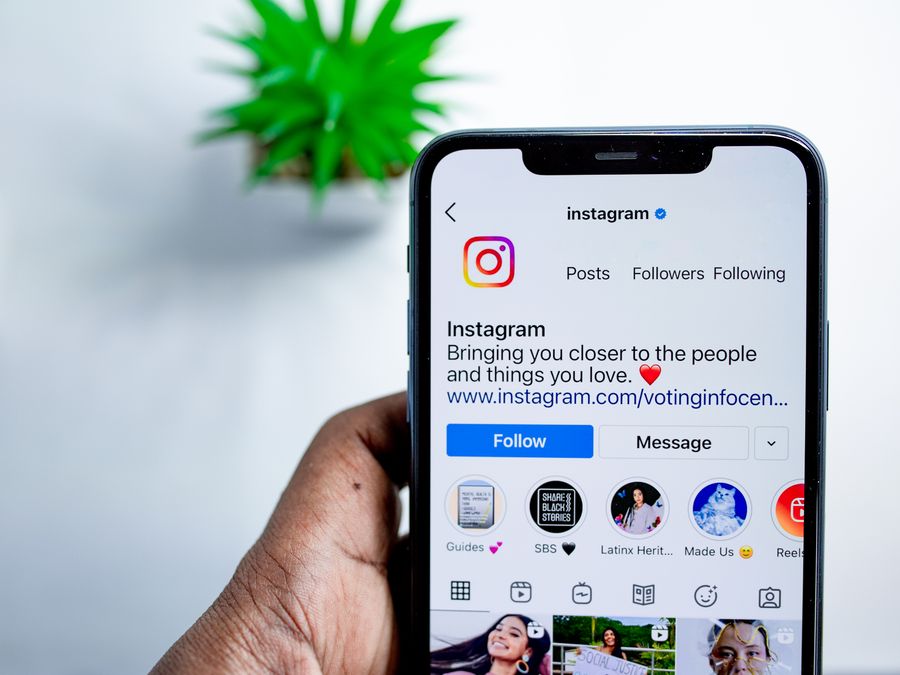
Your profile is the first thing people see when they visit your account, so it needs to make a strong first impression. Start your audit by looking at your profile with fresh eyes, as if you were a first-time visitor.
Begin with your username. Is it easy to find and remember? Your username should be simple, consistent with your brand name, and easy to spell. Avoid excessive numbers, underscores, or complicated variations that make it hard for people to search for you.
Next, examine your profile photo. For businesses, this is usually your logo. For personal brands and creators, a clear headshot works best. Make sure the image is high quality and looks good at small sizes since it appears as a tiny circle on most screens. The photo should be recognizable even when viewed as a thumbnail in comments or direct messages.
Your bio is limited, so every word counts. Check that your bio clearly explains who you are and what value you provide. A good bio answers the question, “Why should I follow this account?” Include relevant keywords that describe your niche, but keep the language natural. If you have a specific call to action, like signing up for a newsletter or shopping your products, mention it here.
The link in your bio deserves special attention. This is often the only clickable link you can share, so it needs to work hard for you. Check that your link is active and leads to the right destination. Consider whether you’re using a link-in-bio tool to share multiple destinations, and review whether those links are still relevant. For more guidance on making this link work harder, learn how to optimize your Instagram landing page.
Don’t forget your contact buttons and action buttons if you’re using a business or creator account. Verify that your email, phone number, and address information are current. Check that any booking or reservation links function properly. These small details add up to create a professional, trustworthy impression.
Review Your Content and Feed Quality

Your content is the heart of your Instagram presence. During this part of your audit, you’ll evaluate what you’re posting and how it looks as a whole.
Start by scrolling through your feed and looking at the overall visual impression. Does your feed have a consistent look and feel? While you don’t need a rigid aesthetic, some visual consistency helps people recognize your content and makes your profile more appealing. Consider factors like color palettes, photo editing styles, and the overall mood your feed conveys. If you want to strengthen this aspect, explore how to build a visually cohesive feed.
Look at your content mix. Are you using all the formats Instagram offers? A healthy content strategy typically includes regular feed posts, Stories, and Reels. Each format serves a different purpose and reaches your audience in different ways. Reels tend to have higher discovery potential, Stories build daily connection, and feed posts create your permanent visual library.
Evaluate your posting frequency. Check how often you’ve been posting over the past few months. Is it consistent, or do you have gaps followed by posting bursts? Consistency matters more than volume on Instagram. It’s better to post three times a week reliably than to post daily for a week and then disappear for two weeks.
Review your content topics and themes. Are you covering the subjects your audience cares about? Look at which posts have performed best and worst. This can reveal patterns about what your followers want to see more of and what they skip over.
Check your captions and calls to action. Good captions add context, tell stories, or ask questions that encourage engagement. Make sure you’re giving people a reason to comment or save your posts. For more ideas on planning and scheduling content effectively, the Later blog offers helpful resources.
Finally, review your hashtag strategy. Are you using relevant hashtags that match your content and target audience? Check whether your hashtags are too broad, too narrow, or just right for your niche.
Analyze Your Follower Quality and Engagement
Having a large follower count means nothing if those followers aren’t genuine or engaged. This section of your Instagram audit focuses on who’s following you and how they interact with your content.
Start by calculating your engagement rate. This tells you what percentage of your followers actually interact with your posts. To find a basic engagement rate, add up the likes and comments on a post, divide by your follower count, and multiply by one hundred. Do this for several recent posts to get an average. A healthy engagement rate varies by account size, but generally speaking, consistent engagement from your audience is a positive sign.
Look at the quality of your engagement, not just the quantity. Are people leaving meaningful comments, or are most comments just emoji spam and generic phrases like “Nice!” or “Great post!”? Genuine comments that relate to your content indicate an audience that truly cares about what you share. Low-quality comments might suggest bot activity or disengaged followers.
Examine your follower list for suspicious accounts. Signs of fake followers include profiles with no posts, no profile picture, usernames that are random strings of numbers and letters, and accounts that follow thousands of people but have almost no followers themselves. A high number of these accounts can hurt your engagement rate and credibility. To dig deeper into this topic, learn how to identify fake followers and bots.
For a more thorough examination of who’s following you, consider running a follower quality and engagement audit. This helps you understand whether your followers match your target audience and whether they’re actually interested in your content.
Use Instagram Insights to check your audience demographics. Look at the age ranges, gender distribution, and locations of your followers. Does this match the audience you’re trying to reach? If you’re a local business but most of your followers are from other countries, something might be off with your growth strategy.
Review your follower growth trends. Are you gaining followers steadily, losing them, or staying flat? Sudden spikes or drops can indicate problems. A spike might come from a viral post, which is great, or from bot activity, which isn’t. A drop might mean you posted something that turned people off or that Instagram removed fake accounts following you.
Check how your audience interacts with different content types. Do they engage more with Reels, carousels, or single images? Understanding these preferences helps you create content your audience actually wants to see.
Check Your Security and Privacy Settings
Security often gets overlooked in Instagram audits, but it’s crucial for protecting your account and reputation. Take time to review these settings and make sure everything is locked down properly.
Start with your password. Is it strong and unique? Your Instagram password should be different from your passwords on other platforms. If you’ve been using the same password for years, now is a good time to update it. Choose something long and complex that would be difficult to guess.
Enable two-factor authentication if you haven’t already. This adds an extra layer of security by requiring a code in addition to your password when logging in from a new device. You can receive codes via text message or through an authenticator app. The authenticator app method is generally more secure.
Review your login activity. Instagram lets you see where and when your account was accessed. Check this list for any locations or devices you don’t recognize. If something looks suspicious, log out of all sessions and change your password immediately.
Check which third-party apps have access to your Instagram account. Over time, you might have connected various apps for scheduling, analytics, or other purposes. Remove access for any apps you no longer use or don’t recognize. These connections can become security vulnerabilities if those services are compromised.
For a comprehensive look at protecting your account, review your Instagram privacy and safety settings. This covers everything from who can message you to how your content appears to others.
Understand your privacy options. Depending on your goals, you might want a public or private account. Business accounts and creators typically stay public for discoverability, but know what information you’re making visible. Review your story sharing settings and who can reply to your content.
Make sure you understand how Instagram handles privacy features like screenshot notification features. Knowing what activity is shared or notified helps you make informed decisions about what you post and share privately.
Finally, ensure your content complies with Instagram’s rules. Review the official Community Guidelines to make sure nothing you’ve posted could put your account at risk. Violations can result in reduced reach, removed content, or even account suspension.
Review Your Instagram Analytics
Numbers tell a story about your account’s health. Instagram provides built-in analytics called Instagram Insights for business and creator accounts. During your audit, dig into these metrics to understand how your account is really performing.
Start with your overall account reach. This shows how many unique accounts saw your content over a given period. Compare your reach over the past thirty days to previous periods. Is it growing, shrinking, or staying the same? A declining reach might indicate algorithm changes, content issues, or decreased posting frequency.
Look at your impressions, which count total views including repeat views from the same accounts. The ratio between reach and impressions can tell you whether people are viewing your content multiple times, which often indicates highly engaging posts.
Examine your profile visits. This metric shows how many people clicked through to see your full profile. A high number of profile visits compared to your reach suggests your content is compelling enough to make people want to learn more about you.
Track website clicks and other link taps. If driving traffic to your website or other destinations is a goal, pay close attention to how many people actually click your links. Compare this to your total reach to understand your click-through rate.
Dive into individual post analytics. Look at your top-performing posts from the past few months. What do they have in common? Maybe certain topics, formats, or posting times perform better. Also examine your worst-performing posts to identify what to avoid.
For your Stories, check completion rates. This shows what percentage of viewers watched your entire Story sequence versus dropping off early. High drop-off rates might mean your Stories are too long or not engaging enough.
For Reels, pay attention to plays, likes, comments, saves, and shares. Reels often have different performance patterns than feed posts, so analyze them separately.
Resources like Sprout Social offer helpful guides for understanding social media analytics in more depth. Additionally, the Hootsuite blog provides useful information on analytics best practices that can help you interpret your numbers more effectively.
Document your key metrics during each audit so you can track changes over time. What matters most depends on your goals, whether that’s brand awareness, engagement, website traffic, or something else.
Create Your Post-Audit Action Plan
Now that you’ve examined every part of your Instagram account, it’s time to turn your findings into action. Without a clear plan, your audit becomes just an interesting exercise instead of a tool for improvement.
Start by listing everything you found during your audit. Organize your findings into categories like profile issues, content opportunities, follower concerns, security updates needed, and analytics insights. Having everything in one place makes it easier to prioritize.
Next, prioritize your action items. Not everything needs to happen at once. Consider which issues are most urgent and which improvements could have the biggest impact. Security issues should typically be addressed immediately. Quick wins like updating your bio or fixing broken links can be done right away. Larger strategic changes like overhauling your content approach might need more planning.
Set specific, measurable goals based on your audit findings. Instead of vague goals like “get more engagement,” aim for something specific like “increase average post engagement rate by focusing on carousel posts and asking questions in captions.” Clear goals help you measure whether your changes are working.
Create a timeline for implementing your changes. Some improvements can happen today, while others might be part of a ninety-day plan. Break larger goals into smaller weekly or monthly tasks to make them more manageable.
If your audit revealed that you need to grow your audience, take time to grow your Instagram following using proven strategies rather than shortcuts that could harm your account.
Think about the bigger picture too. Your Instagram audit findings should inform your overall social media strategy. Use what you’ve learned to build a stronger Instagram presence over time.
Schedule your next audit before you finish this one. Put it on your calendar for three months from now, or sooner if you’re making major changes. Regular audits ensure you stay on track and continue improving.
Remember that improvement takes time. Don’t expect overnight results from the changes you make. Give your new strategies a few weeks to show their impact before evaluating whether they’re working. Be patient, stay consistent, and keep refining your approach based on what the data tells you.
Your Instagram audit is complete. You now have a clear picture of where your account stands and a roadmap for making it better. Take action on what you’ve learned, and you’ll be well on your way to a healthier, more successful Instagram presence.