



Instagram is a place where many of us share photos, connect with friends, and discover new content. But with all that sharing comes the need to think about your privacy and safety. Whether you’re posting vacation pictures, following your favorite creators, or running a small business account, understanding your Instagram privacy and safety settings can help you feel more confident about what you share and who can see it.
The good news is that Instagram offers many tools to help you control your experience. From deciding who can view your profile to adding extra security to your account, these settings put you in charge. The tricky part is knowing where to find them and how to use them effectively.
This guide walks you through everything you need to know about staying safe on Instagram. We’ll cover the essential privacy settings, show you how to set up two-factor authentication, explain how Instagram uses your data, and share tips for spotting scams. By the end, you’ll have a clear understanding of how to protect yourself and your information while still enjoying everything the platform has to offer.
Understanding Your Instagram Privacy Settings
Instagram’s privacy settings are your first line of defense when it comes to controlling who sees your content and how others can interact with you. Finding these settings is simple once you know where to look. Open the Instagram app, tap your profile picture in the bottom right corner, then tap the three horizontal lines in the top right. From there, select Settings and privacy to access all your options.
One of the most important decisions you’ll make is whether to keep your account public or private. A public account means anyone can see your posts, stories, and reels without following you. A private account limits your content to approved followers only. If you value privacy over reach, switching to a private account is a straightforward choice that makes a big difference.
Beyond the public versus private setting, Instagram offers controls for comments, mentions, and tags. You can limit who can comment on your posts, choose who can tag you in photos, and decide who can mention you in their stories. These granular controls let you fine-tune your experience without going fully private.
Another useful feature lets you hide your activity from followers. This includes your online status and when you were last active. Many people prefer to browse without others knowing exactly when they’re using the app.
Story controls deserve special attention. You can hide your stories from specific people, create a close friends list for more personal content, and choose who can reply to your stories. These options let you share more openly with people you trust while keeping certain content away from casual acquaintances or work contacts.
If you ever need detailed instructions for any of these settings, the Instagram Help Center provides step-by-step guides for every privacy option available on the platform. It’s worth bookmarking this resource for future reference as Instagram regularly updates its features and settings.
Setting Up Two-Factor Authentication
Two-factor authentication, often called 2FA, adds an extra layer of security to your Instagram account. Even if someone manages to guess or steal your password, they still won’t be able to log in without the second verification step. Given the number of Instagram scams targeting creators and regular users alike, enabling this feature is one of the smartest moves you can make.
Setting up two-factor authentication takes just a few minutes. Go to your profile, tap the menu icon, and select Settings and privacy. Then navigate to Accounts Center and look for Password and security. Under Two-factor authentication, you’ll see options for how you want to receive your verification codes.
Instagram offers several methods for two-factor authentication. The most common is receiving a text message with a code each time you log in from a new device. While convenient, SMS-based authentication has some vulnerabilities since phone numbers can be compromised through SIM-swapping attacks.
A more secure option is using an authentication app. These apps generate temporary codes that change every thirty seconds. Google Authenticator is one popular choice that works well with Instagram and many other services. Other options include Microsoft Authenticator and Authy, all of which provide similar functionality.
Once you’ve enabled two-factor authentication, Instagram will also give you backup codes. These are one-time codes you can use if you lose access to your phone or authentication app. Store these codes somewhere safe, like a password manager or a secure note, because they’re your emergency access method if something goes wrong.
Remember that two-factor authentication only protects your account if your recovery options are also secure. Make sure the email address and phone number linked to your account are ones you can access and that they’re protected with strong security measures of their own.
Controlling Who Can See Your Content

Managing who sees your Instagram content goes beyond just choosing between a public and private profile. Instagram offers several layers of visibility controls that let you customize your audience for different types of content.
For stories, you have particularly flexible options. The close friends feature lets you create a special list of people who can see certain stories that others cannot. This is perfect for sharing more personal moments with family or close friends while keeping your main profile accessible to a wider audience. You can also block specific people from seeing your stories without unfollowing or blocking them entirely.
Many users wonder about what happens when they interact with other accounts. For instance, understanding Instagram screenshot notifications helps you know when your actions might be visible to others. Currently, Instagram only sends notifications for screenshots of disappearing photos and videos in direct messages, not for regular posts or stories.
If you’re concerned about people checking your profile without you knowing, you might be interested in viewing followers anonymously yourself. Understanding how profile visibility works both ways can help you make better decisions about your own privacy settings.
Your follower list visibility is another consideration. You can choose to hide the list of accounts you follow and your followers from other users. This prevents people from easily browsing through your connections, which can be valuable for both personal privacy and professional reasons.
Reels and posts have their own sharing settings. You can control whether your reels appear on the Explore page and whether others can remix them. For posts, you decide if people can reshare your content to their stories. These controls help you maintain ownership over how your content spreads across the platform.
Location tagging is another aspect worth considering. While adding location tags can help people discover your content, it also reveals information about where you’ve been. Think carefully before adding locations to posts, especially if you’re sharing in real-time or from your home area.
How Instagram Uses Your Data
Understanding how Instagram collects and uses your data helps you make informed decisions about your privacy. As part of Meta, Instagram gathers information to personalize your experience, show you relevant ads, and improve its services.
The data Instagram collects includes obvious things like your posts, comments, and messages. But it also tracks less obvious information such as how long you spend looking at certain types of content, which accounts you interact with most, and what time of day you’re most active. This behavioral data helps the platform decide what to show you in your feed and on the Explore page.
Your device also shares information with Instagram. This includes your phone model, operating system, IP address, and in some cases, your location. If you’ve given the app permission, it may also access your contacts and camera roll. Reviewing your phone’s app permissions periodically ensures you’re only sharing what you’re comfortable with.
The role of AI-assisted personalization on Instagram continues to grow. Machine learning algorithms analyze your behavior to predict what content you’ll enjoy and what products you might want to buy. While this can make your experience more relevant, it also means more of your data is being processed and analyzed.
Instagram provides tools to review and manage your data. You can download a copy of all the information Instagram has about you, which can be eye-opening. You’ll see your entire history including past usernames, login locations, and content you’ve liked. This download feature is found in the Your activity section of settings.
For a deeper understanding of how Meta handles data across its platforms, the Meta Transparency Center offers detailed explanations of the company’s data practices, privacy policies, and content moderation approaches. This resource can help you understand exactly what happens with your information.
You also have some control over ad targeting. In your ad preferences, you can see the topics Instagram thinks you’re interested in and adjust them. While you can’t opt out of ads entirely, you can make them less personalized if you prefer.
Protecting Your Digital Privacy Online
Your Instagram privacy and safety settings are just one piece of your overall digital privacy. Developing good habits across all your online activities helps protect you more comprehensively.
Password hygiene is fundamental. Use a unique, strong password for Instagram that you don’t use anywhere else. A good password is long, includes a mix of characters, and isn’t based on easily guessable information like your birthday or pet’s name. Password managers make it easy to create and remember complex passwords for all your accounts.
Be cautious about what personal information you share publicly. Details like your full name, workplace, school, or daily routines can be pieced together by someone with bad intentions. This doesn’t mean you can’t share anything personal, but think about who might see it and how the information could be misused.
Cross-platform privacy matters too. Your Instagram account is linked to other Meta services, and your activities may be connected across these platforms. If you want to browse Meta’s other platforms with more privacy, you can view Threads without an account to explore content without creating a data trail linked to your identity.
Regularly auditing your connected apps and services is another smart practice. Over time, you may have given various third-party apps access to your Instagram account. Review these permissions periodically and revoke access for any apps you no longer use or trust.
Email security connects directly to your Instagram security. If someone gains access to your email, they can potentially reset your Instagram password and take over your account. Protect your email with two-factor authentication and a strong password.
For those who want to learn more about protecting their digital rights, the EFF privacy resource provides extensive information about online privacy, surveillance issues, and how to advocate for better privacy protections. Understanding your rights helps you make more informed choices about the services you use.
Using a VPN for Extra Protection

A virtual private network, or VPN, can add another layer of privacy to your Instagram use, especially when you’re connecting through public Wi-Fi networks at coffee shops, airports, or hotels.
When you use Instagram without a VPN, your internet service provider and anyone on the same network can potentially see your online activity. A VPN encrypts your connection and routes it through a secure server, making it much harder for others to monitor what you’re doing. This is particularly important on public networks where security is often minimal.
Understanding why VPNs matter for mobile workflows is especially relevant for Instagram users since most people access the platform from their phones. Mobile devices frequently connect to various networks throughout the day, each presenting its own security considerations.
VPNs work by creating a secure tunnel for your data. When you connect to a VPN server, your actual IP address is hidden and replaced with the server’s address. This can prevent websites and services from tracking your precise location based on your IP. It also means your internet traffic is encrypted between your device and the VPN server.
Beyond privacy, VPNs have other uses. For example, people use VPNs to bypass YouTube TV location restrictions and access content from different regions. While this shows how VPNs work with location-based services, the primary benefit for Instagram users is the added security and privacy on untrusted networks.
When choosing a VPN, look for services with clear privacy policies that don’t log your activity. Free VPNs often come with significant drawbacks, including selling your data or limiting your connection speeds. A reputable paid VPN service is generally a better investment for genuine privacy protection.
Keep in mind that while a VPN protects your connection, it doesn’t change what Instagram itself can see. Your posts, messages, and activity within the app are still visible to Instagram regardless of whether you’re using a VPN. Think of a VPN as protection for the path between you and Instagram, not protection from Instagram itself.
Risks of Third-Party Apps
The Instagram ecosystem includes many third-party apps that promise to enhance your experience. These range from analytics tools and scheduling platforms to apps that claim to show you who unfollowed you or who viewed your profile. While some of these apps are legitimate, others pose serious risks to your account security and privacy.
When you connect a third-party app to your Instagram account, you’re giving it permission to access certain information. Depending on what permissions you grant, the app might be able to see your followers, read your direct messages, or even post on your behalf. This level of access can be dangerous if the app isn’t trustworthy.
Some apps violate Instagram’s terms of service by offering features like automated liking, following, or commenting. Using these apps can result in your account being suspended or permanently banned. Instagram’s systems have become increasingly sophisticated at detecting this type of automated behavior.
When evaluating AI engagement tools or other third-party services, research the company behind the app. Look for reviews from real users, check how long the app has been available, and read their privacy policy to understand what data they collect and how they use it.
Be especially wary of apps that ask for your Instagram password directly. Legitimate apps that integrate with Instagram use an official login process where you enter your credentials on Instagram’s own website, not within the third-party app itself. Any app asking you to type your password into their interface could be trying to steal your login information.
Regularly review which apps have access to your Instagram account. In your settings, you can see all connected apps and revoke access for any you no longer use or don’t recognize. It’s good practice to do this review every few months and after installing any new apps.
If your account starts behaving strangely after connecting a third-party app, such as following accounts you don’t recognize or sending messages you didn’t write, immediately revoke that app’s access and change your password. These are signs that the app may have been compromised or was malicious from the start.
Recognizing and Avoiding Scams
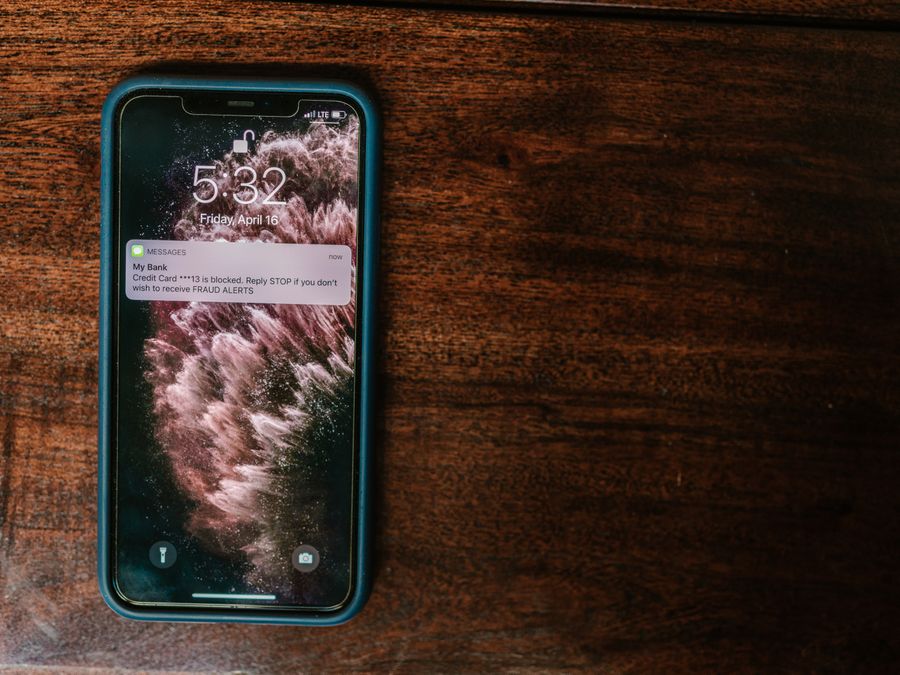
Scammers are constantly finding new ways to target Instagram users. Learning to recognize common tactics can save you from losing access to your account or falling victim to fraud.
Phishing attempts are among the most common scams. These often come as direct messages or emails that appear to be from Instagram, claiming there’s a problem with your account that requires immediate action. The messages typically include a link to a fake login page designed to steal your credentials. Instagram will never ask for your password via direct message or email.
Impersonation scams involve fake accounts pretending to be friends, celebrities, or brands. The scammer might claim they’re locked out of their real account and ask for help, or they might offer too-good-to-be-true opportunities. Always verify the identity of anyone making unusual requests, even if the account looks legitimate at first glance.
Romance scams target people looking for connection. Scammers build relationships over weeks or months before eventually asking for money, often claiming an emergency or business opportunity. Be cautious of anyone you’ve only met online who starts asking for financial help.
Investment and cryptocurrency scams promise easy money or guaranteed returns. These often feature testimonials from accounts showing off their supposed wealth. Legitimate investments don’t guarantee returns, and anyone promising easy riches through Instagram messages is almost certainly trying to scam you.
Giveaway scams claim you’ve won a prize but need to pay a fee or provide personal information to claim it. Real giveaways don’t require winners to pay anything. If it sounds too good to be true, it probably is.
When in doubt, don’t click links in unexpected messages. Instead, go directly to Instagram through the app or by typing the address into your browser. Report suspicious accounts and messages using Instagram’s built-in reporting tools. The more users report scams, the faster Instagram can take action against these accounts and protect others from the same threats.
Taking the time to understand and properly configure your Instagram privacy and safety settings is an investment in your peace of mind. While no platform can guarantee complete security, using the tools available and staying alert to potential threats puts you in the best position to enjoy Instagram safely.